

Syncing Google Classrooms in Newsela
If you have classes and students set up in Google Classroom, you can import those classes and rosters into Newsela.
-
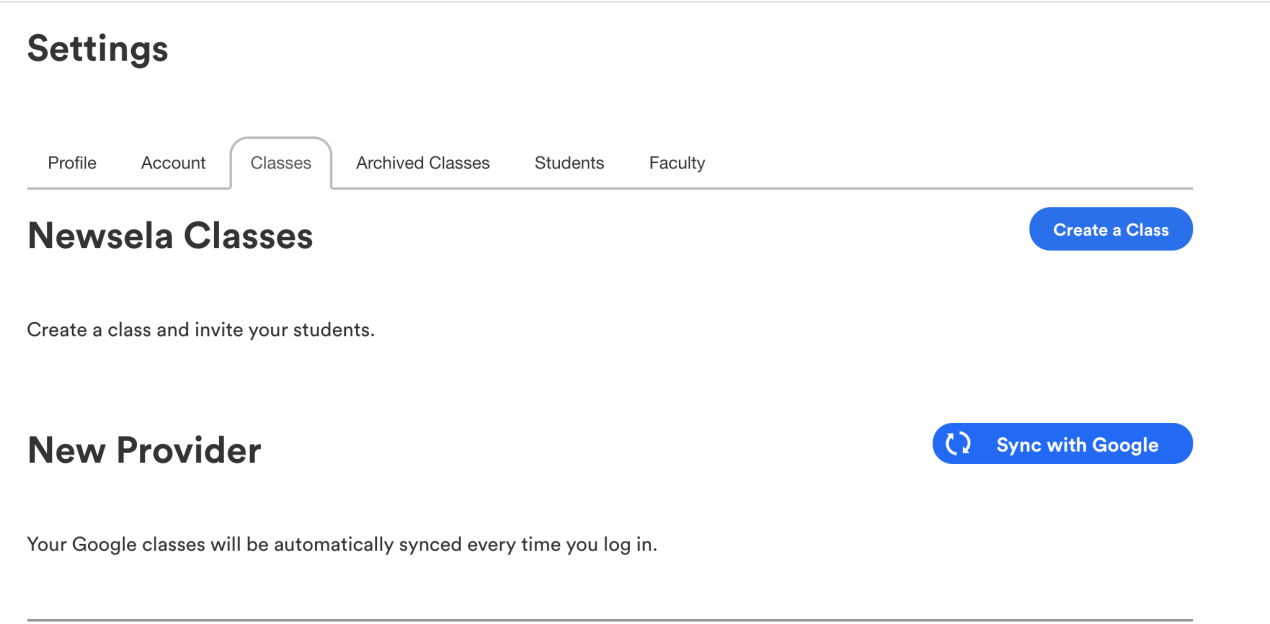
Go to your Classes page by clicking your name in the upper right-hand corner and selecting the Classes tab from the settings menu.
-
Click Sync with Google.
-
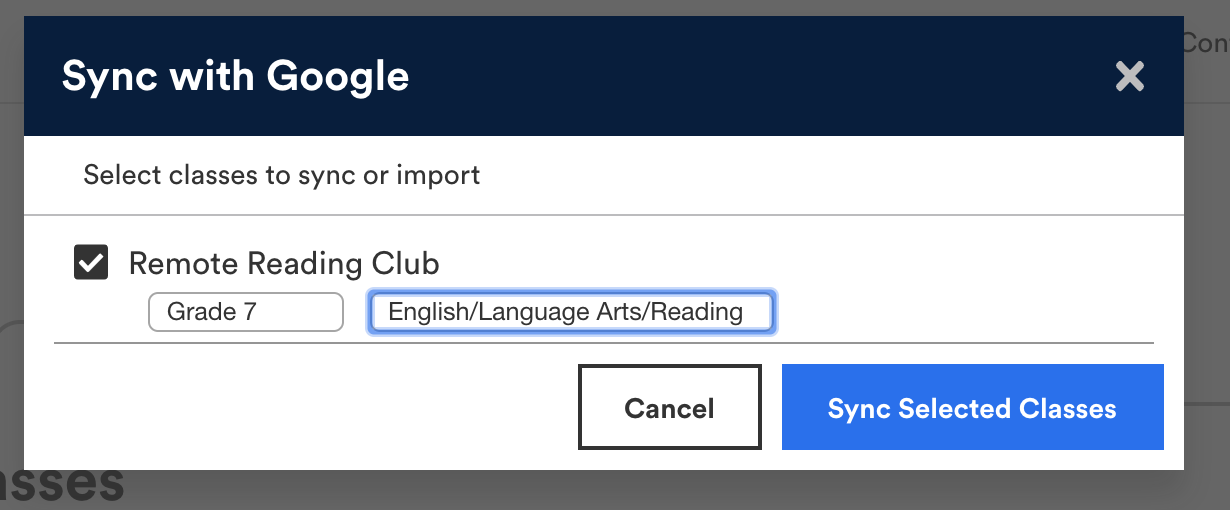
Select the classes you want to import, choose a grade level and subject for each, then click Import Selected Classes.
-
You may need to wait for the sync to complete.
-
To confirm that your students are in your class, go to your Students page. Under each class name, you’ll see a list of students in the class. The student roster in Newsela should correspond to the student roster in Google Classroom
Imported students will see your class on their settings page.
You can learn more about syncing your Google Classroom in this video.
Comments
0 comments
Please sign in to leave a comment.